How to use Google Maps incognito mode on Android in four easy stepsSearch for local hotspots while protecting your privacy
Zach Laidlawhttps://platform.twitter.com/widgets/follow_button.c4b33f07650267db9f8a72eaac551cac.en.html#dnt=false&id=twitter-widget-0&lang=en&screen_name=ztlaidlaw&show_count=false&show_screen_name=false&size=m&time=15957260088267 hours ago
Incognito mode for Google Maps has been around since late last year, but if you haven’t gone looking for it in recent months, you likely haven’t noticed it was even there. For whatever reasons you may want to duck under the cloak of privacy, we’ll show you exactly how to go incognito within Google Maps.
Activate incognito mode for Google Maps in four simple steps

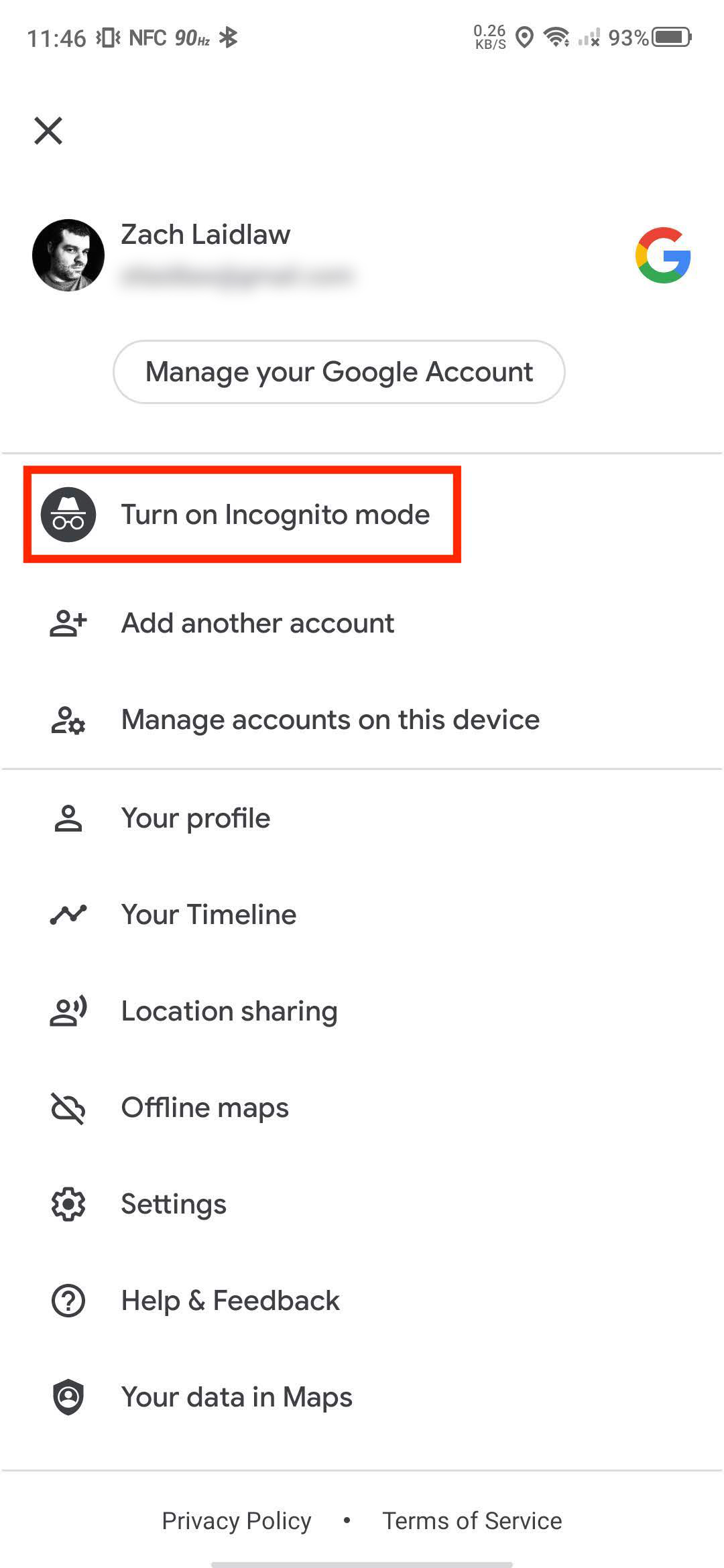
- Open Google Maps on your favorite Android device.
- Click your Google account avatar in the top right corner of the display to summon the Google Maps settings menu.
- Find “Turn on Incognito Mode” listed as the first option in the settings menu and tap it.
- A menu will pop up to let you know which kinds of information are protected in incognito mode. Tap “Close” to finalize the deed or “Learn more” to view additional information in Google’s support pages.
- NOTE: If you click “Learn more,” Maps will alert you that you’re being taken to a mobile web browser that may not be in incognito mode, meaning this webpage will be tracked as part of your browser history.
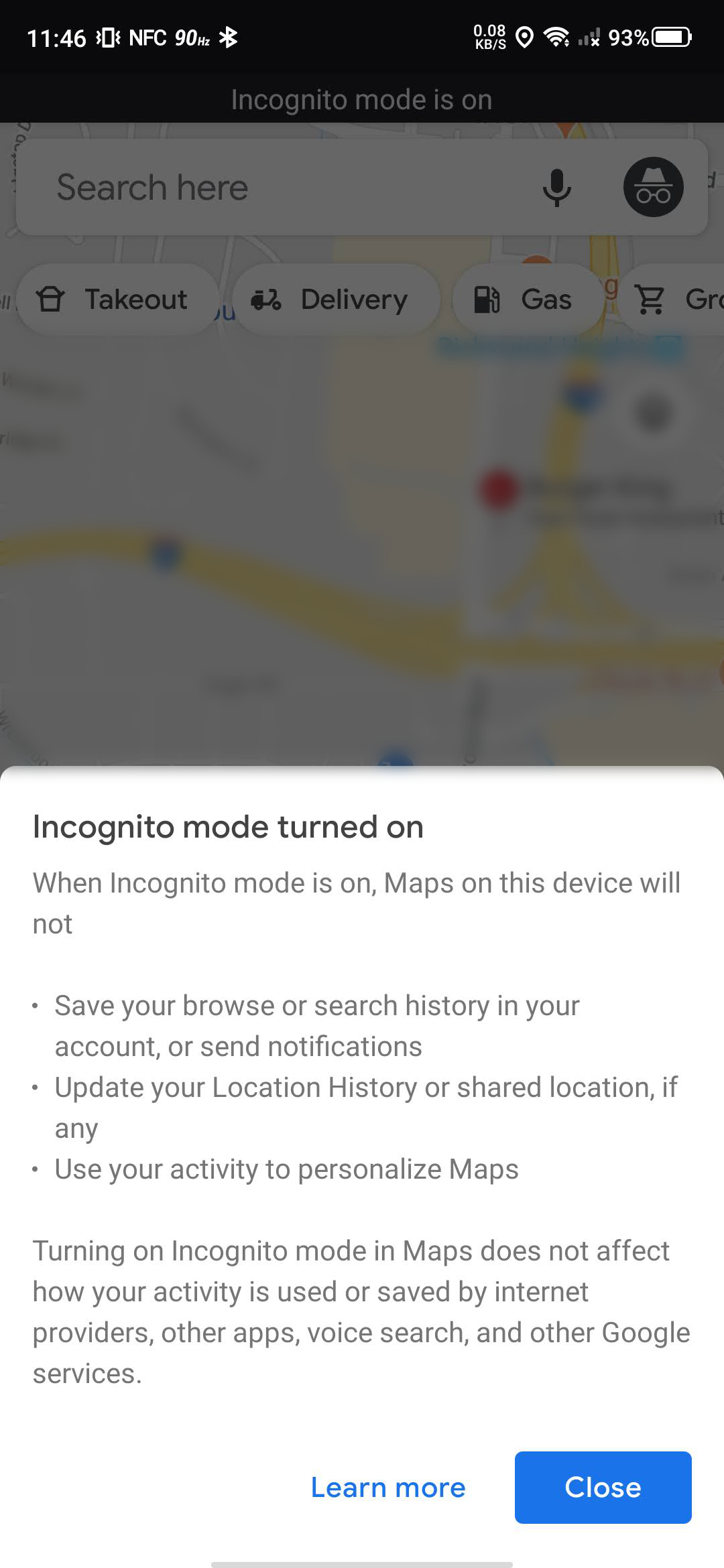

What happens when incognito mode for Google Maps is enabled?
Incognito mode in Google Maps is designed to protect your location and map search data. Once enabled, location history for your entire phone will be temporarily disabled. That means any place you travel to (and the route you take) will not be recorded on your location history map.
If you use a location tracking app like Google’s Trusted Contacts and/or location sharing through Google Maps, this information will also be invisible to your contacts. They will only be able to view your most recent activity once incognito mode in Google Maps is disabled.
 Bruce's Blog